How and Why You Should Label and Enrich Your Prompts for AEO
Track the wrong prompts, and you'll optimize for questions nobody's asking instead of real buying-stage queries. Prompts with pricing, comparison, and evidence intent go unchecked.
The fix isn't a better prompt generator. It's a more deliberate prompt architecture: combine owned data with real demand, then label each prompt consistently.
Start with Google Search Console queries, People Also Asked (PAA) data, Google Trends, customer conversations from sales and support, relevant discussions on Reddit, LinkedIn, and G2, and a light layer of competitive analysis. This gives you a prompt set grounded in what your market actually asks and what your business needs to measure.
TL;DR
-
If you don’t label and track prompts, AI visibility is too broad to diagnose: you can’t tell what works, what doesn’t, or which targeted initiatives are moving a specific segment.
-
If your prompt set isn’t built from owned data and real demand, you risk missing commercially important questions and shifts in buyer interest.
-
Tracking prompts also helps you ensure you’re conducting entity SEO correctly.
-
You can enrich your prompts with Google Search Console (GSC) regex, PAA, and internal data.
What Are Prompt Attributes?
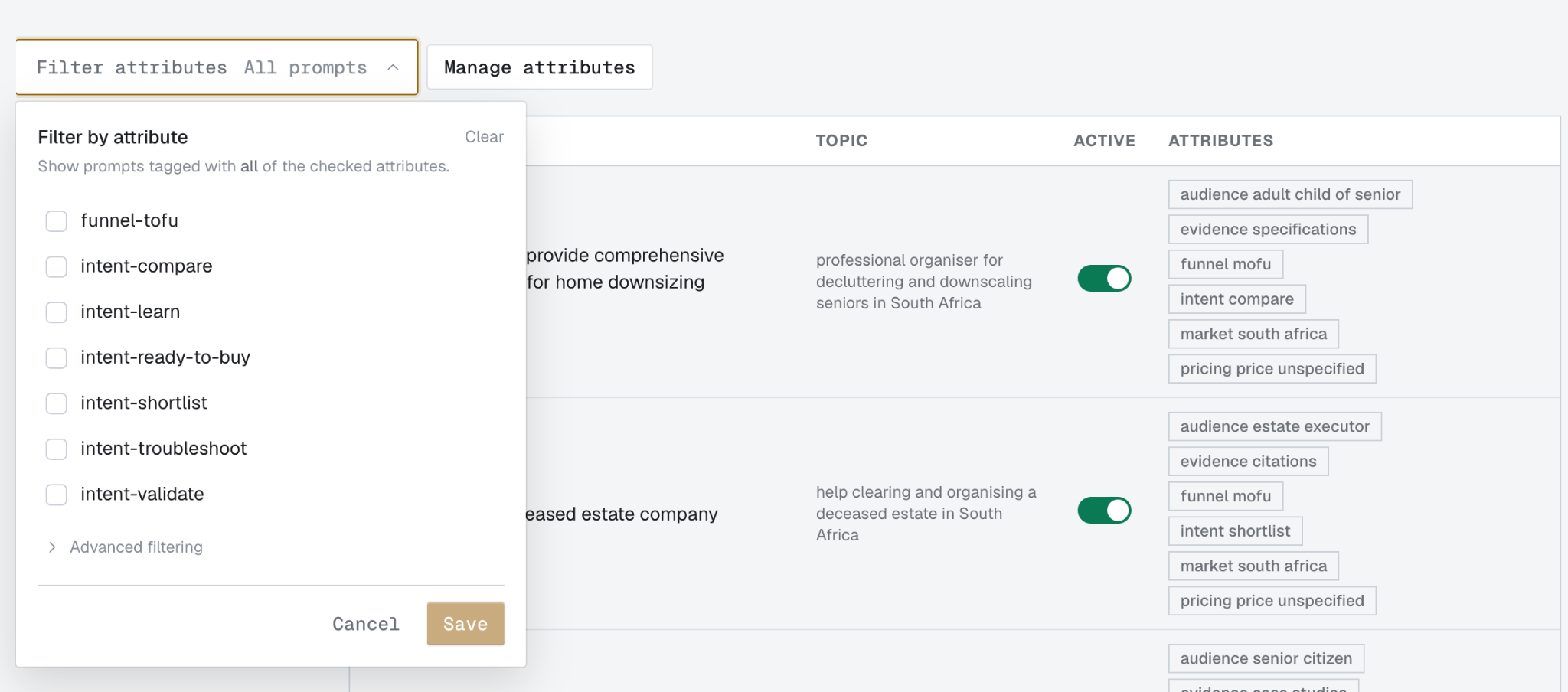
Prompt labeling (called prompt attributes in OpenLens) means assigning consistent metadata such as intent, funnel stage, audience, market, evidence need, and brand to each prompt so you can group and analyze performance.
Attributes let you group prompt performance by ideal customer profile (ICP), funnel stage, market and language, branded intent, and other attributes, so teams can run targeted initiatives and measure each segment independently.
Why You Should Label Prompts
Labeling prompts lets you segment a broad visibility problem into measurable cohorts and audit where you might be falling behind a competitor. It gives your team the language to say, “we’re winning at top-of-funnel (TOFU) prompts but falling behind on pricing prompts,” then measure the initiative to fix that segment on its own.
Separating Informational from Commercial Visibility
Categorizing prompts by intent lets you distinguish brand presence as generic context from explicit recommendations in buyer decision moments. It also helps you target content generation toward the stage of the buying journey where you want to improve visibility.
Defining Evidence Requirements for Evaluation
Labeling required evidence types (e.g., pricing, technical specifications, case studies) defines the exact criteria your evaluation process must detect and score in the raw AI response. Where possible, use the terminology actual buyers use so your labels, prompts, and content reflect real demand language.
Localization and Audience Context
Documenting target buyer profiles and country/language contexts prevents generic answers from dominating test results and accounts for local source variations across answer engines.
Enabling Root-Cause Visibility Analysis
Map sudden visibility changes to specific content gaps. For example, if your domain is omitted on comparison prompts that require pricing evidence, the label set helps isolate the affected segment and points to specific on-page fixes.
How You Should Label Prompts for GEO
Now, we can group prompts by topic, intent, funnel stage, and other attributes, then label them consistently. An LLM is great for a first pass.
Before you start, give your LLM your ICP research and any specific sorting rules.
Prompt Labels You Could Assign
-
Intent (learn, shortlist, compare, validate, troubleshoot, ready to buy)
-
Audience (buyer role and company profile)
-
Market (country and language)
-
Entities (category, brand)
-
Evidence need (specifications, case studies, citations)
-
Pricing
-
Branded (whether your brand’s name is in the prompt)
-
Funnel stage (TOFU, middle-of-funnel [MOFU], bottom-of-funnel [BOFU])
For one brand, the OpenLens dashboard looked like this:
How Often to Revisit Prompts and Labeling
Language and intents shift as markets mature. Revisit your prompts at least quarterly, or whenever consumer behavior changes significantly.
Set a recurring review date to repeat enrichment and labeling, especially if you’re in a fast-moving or seasonal industry like tech or hospitality.
How Labels Change Your Day-to-Day AI Visibility Work
Labels make AI visibility operational. Instead of treating visibility as one score, you can compare performance by funnel stage, market, audience, evidence need, or branded intent; see whether a targeted initiative moved the segment it was designed to improve; and compare your performance with competitors on the same prompt groups. When a segment drops, the labels narrow the investigation before you move into the detailed retrieval and content diagnostics below.
How to Choose and Architect Your Prompt Set
The prompts generated by AI visibility tools can be too broad because they don’t have the years of insight into your client’s industry, terminology, and goals that you do.
Choosing what to track starts with three inputs:
-
Your owned data
-
Your business goals
-
Evidence of demand
Owned data tells you what customers already ask; goals tell you which markets and buying stages matter; demand signals tell you where interest is growing, declining, or shifting. The sections below show how to mine each source and turn those signals into a prompt set.
Start with the sources that give you the clearest mix of owned data and real demand.
You’ll need:
-
Google Search Console performance query data
-
A People Also Asked scraper
-
Keywords you’ve been tracking
-
Sales call transcripts and, if you have them, customer support tickets
-
A database like Airtable or Supabase for storing outputs
-
Google Trends and, optionally, a social listening tool
Mining Demand: How to Find the Questions Buyers Actually Ask
Mine real demand before you turn keywords into prompts. Use:
-
Google Trends to see whether interest is growing, declining, or seasonal
-
GSC and PAA to capture search language
-
Reddit, LinkedIn, and G2 to surface unfiltered questions, objections, and comparisons
-
Sales and support conversations to capture owned demand
-
Lightweight competitor analysis to spot themes competitors are already winning.
Prioritize patterns that repeat across multiple sources, then convert those patterns into prompts. Use an LLM (Claude is especially good for long-context data analysis) for analysis at this scale.
Using People Also Asked Queries
To start, have your LLM of choice plug into DataForSEO or another SERP data provider and run PAA queries on your keywords. You can also do this manually by typing in your keyword, then scrolling down to the People Also Asked section.
For some queries (particularly commercial ones), PAA may not show up, so it’s better to use a SERP scraping service.
Here’s how to do this using the example of a professional organizing company.
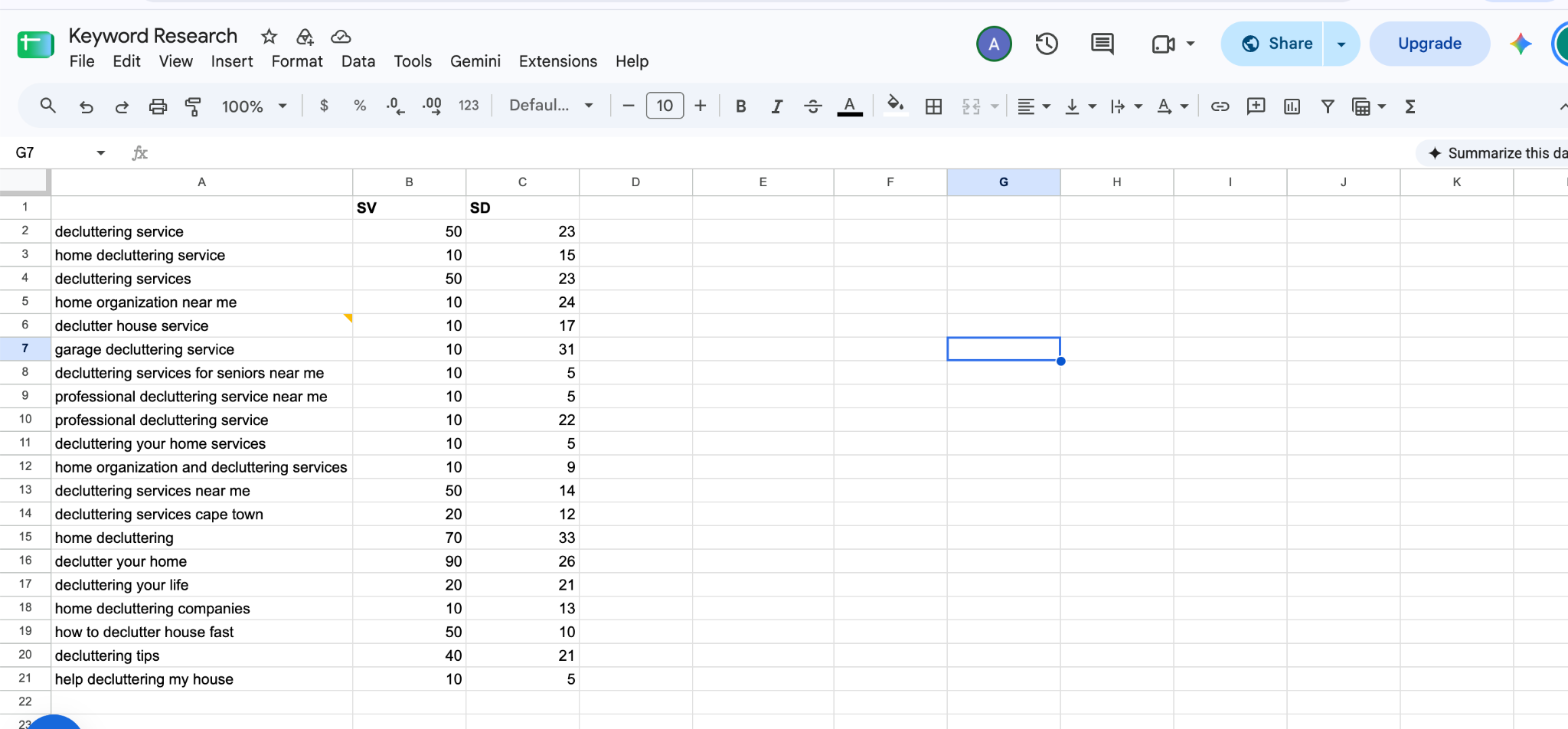
Raw keyword data
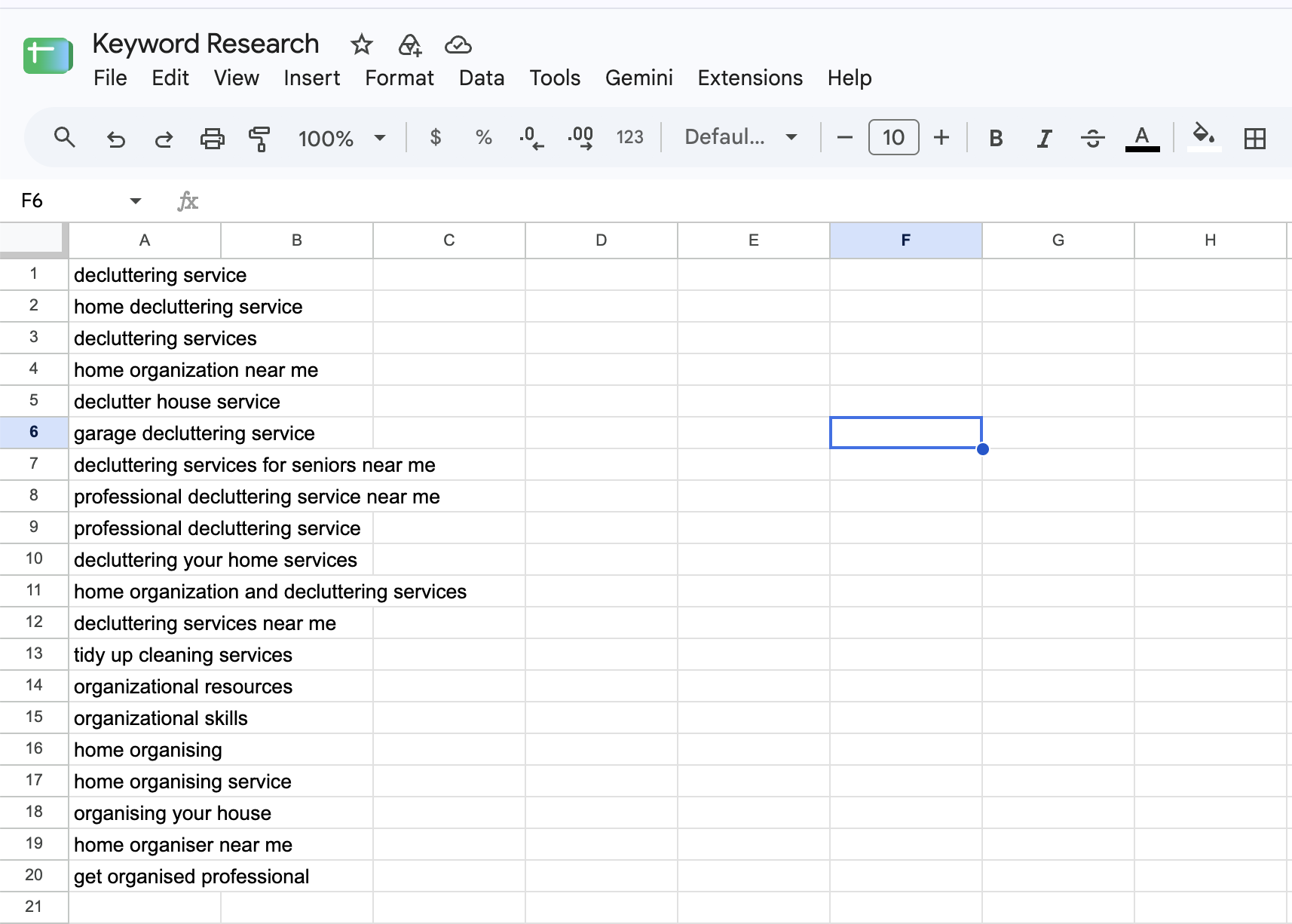
Keywords filtered by BOFU intent
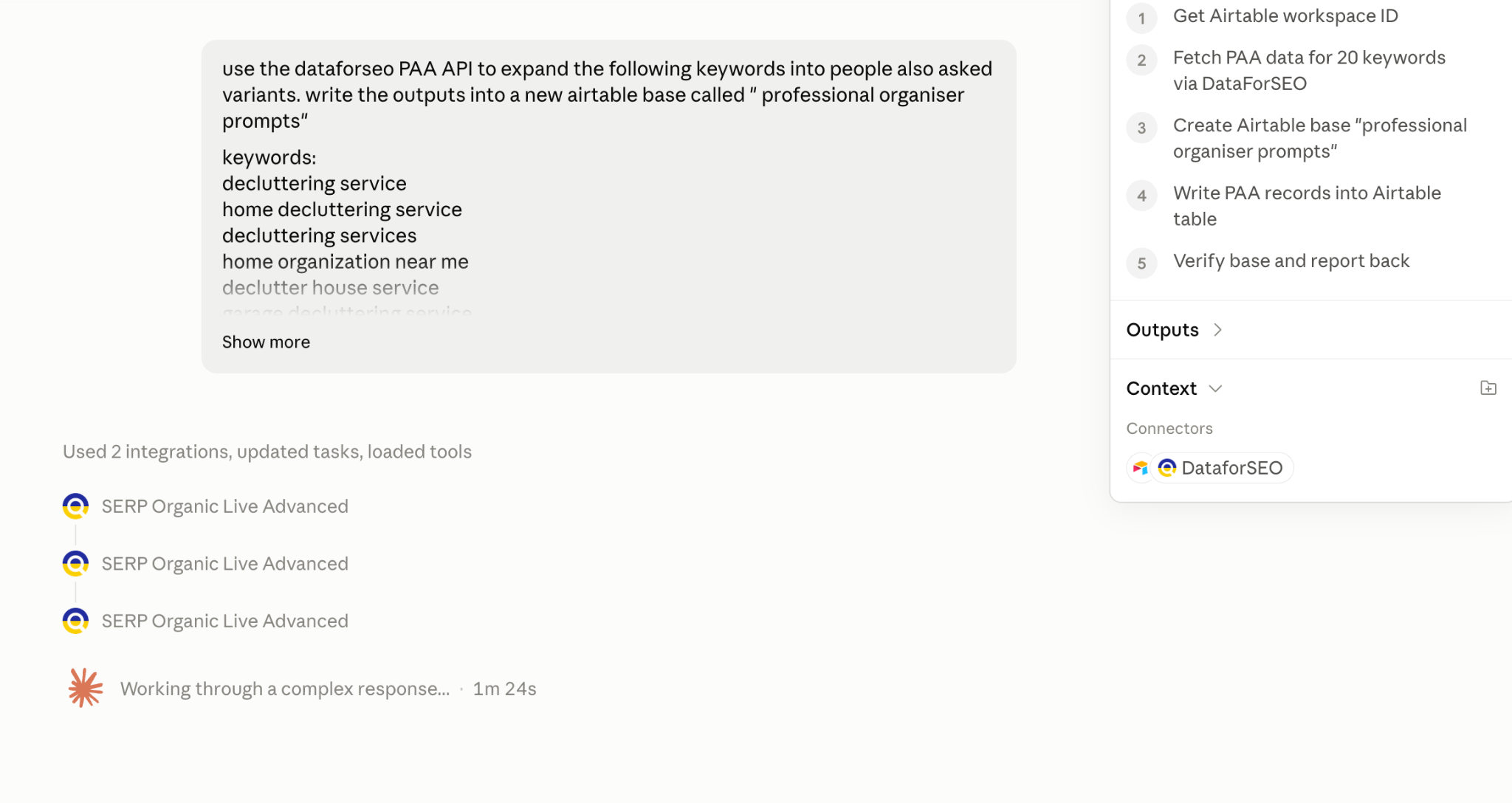
Here’s the prompt used in Claude to expand BOFU keywords into PAA queries: “Use the DataForSEO PAA API to expand the following keywords into People Also Asked variants. Write the outputs into a new Airtable base called ‘professional organizer prompts’.”
Repeat this as many times as needed with TOFU and other relevant-intent queries.
AI Mode Queries
You can use regex to filter for longer queries that may appear in Google’s AI Mode. This pattern isolates queries containing six or more words:
([^ ]*\s){5,}
Use it as a heuristic for longer, natural-language queries.
Go to Performance → New filter → Query → Custom (regex)
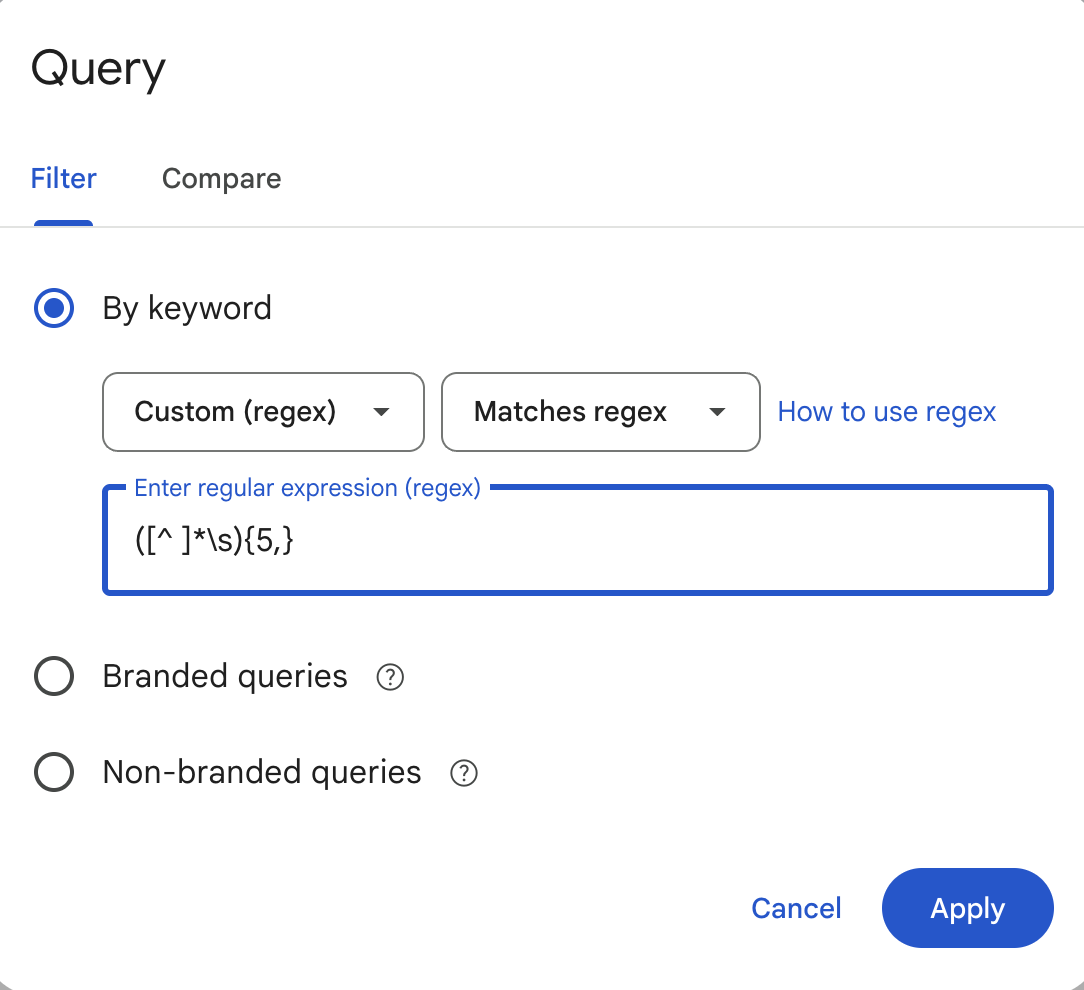
Then, export the results and give them to your LLM to add to your records.
Sales Call Transcripts and Support Tickets
You can give an LLM a database of sales call transcripts and ask it to find common themes, objections, and questions about your product/service.
Social Listening
Use social listening tools to track what people ask across UGC and community platforms such as Reddit, LinkedIn, and G2. Respona, Octolens, and manual tracking with platform APIs all work. Look for repeated language, objections, comparisons, and emerging themes, not isolated mentions.
Using Google Trends
Google Trends is a free, public web tool by Google that analyzes the relative popularity of top search queries across Google Search and YouTube. You can use Google Trends to assess seasonality and popularity of search terms over time.
Converting Data into Prompts You Should Track
Once you’ve consolidated your data and converted the queries into prompts, send them to your OpenLens project via the UI or MCP (much quicker).
Prune Your Prompt Set
Before you start tracking everything you’ve collected, prune the set. A bigger prompt library isn’t automatically better: duplicates, overly specific prompts, or low-signal prompts can distort your visibility reporting and make genuine changes harder to see. Keep prompts that map to real demand, an important buyer stage, or a business question you actually want to measure.
Look for near-duplicates, prompts with no evidence of demand, and synthetic questions that are engineered to produce your brand as the answer. If ten prompts are minor rewordings of the same intent, keep a representative sample rather than letting that topic dominate your score. Your final set should be broad enough to cover the customer journey, but tight enough that every prompt earns its place.
Don’t Include Branded Prompts in Visibility Calculations
Keep branded prompts in your prompt set, but report on them separately. They’re useful for checking factual accuracy, sentiment, positioning, and whether the model understands your product.
For visibility calculations, use non-branded prompts, the category, comparison, and problem-led questions where the model has to decide whether to surface your brand without being asked about it by name.
Detailed Retrieval and Content Troubleshooting
Once your label set shows where performance is weak, diagnose the failure mode rather than treating every visibility gap the same.
OpenLens helps you distinguish whether a weak segment points to retrieval, citation, positioning, or stale-information problems.
Here are some common problems that are fixable with proper labeling:
Diagnosing Retrieval and Content Problems
If your website isn’t showing up or isn’t being cited correctly in AI answers, labeling can help you diagnose the issue:
-
Not retrieved: Your domain never made it into the grounding candidates. If this clusters around a specific market, you likely have weak indexation on the underlying search engines (Bing, Google, or Brave) or thin on-page topical coverage.
-
Retrieved but not cited: The AI pulled your page during its background search but cited a competitor instead. If the prompt’s evidence-need label is pricing or specifications, the fix is usually formatting. Format key facts in plain, crawlable HTML tables that are easy to extract and summarize.
-
Mentioned but not recommended: The model knows your brand but picks a competitor anyway. This calls for iterative on-page positioning tests until your product wins under the same prompt constraints.
-
Recommended inaccurately: You were cited, but the AI has the wrong features or price. The labels pinpoint exactly which prompt context is stale, so you know which source-of-truth page to fix before the wrong answer spreads.
Powering Better Competitor Reporting
With labels, you can confidently say that “Competitor Y has a larger sphere of influence for UK B2B audiences on TOFU prompts.”
Filtering by specification prompts that require SOC 2 compliance might show that you win broad informational query prompts with enterprise buyers but aren’t visible in pricing queries.
Better Content Feedback
Since your prompts are now so well-labeled, you can report on incremental lifts in visibility over weeks and months.
OpenLens: Research-Grade AI Visibility Tracking
Labeling your prompts is only useful if you can act on what the labels tell you. OpenLens takes your labeled prompt set and turns it into a live diagnosis: which prompts you're not retrieved on, how competitors perform on those same prompts, which prompts retrieve you but don’t cite you, and which market or funnel-stage cluster is dragging down your share of voice.
Instead of a spreadsheet of hunches, you get a direct line from "we're invisible on BOFU pricing prompts in the UK" to the exact page that needs a fix.
Track the prompts your customers use. Start with your first three websites for free today.